

STARPATH · STARPILOT 4.2
The navigator’s calculator for celestial navigation
Sunrise, twilight and LAN in one click, sight planning, star and planet ID, sight reduction of every body, sight analysis, fixes computed or plotted, Van Allen fixes, Polaris, noon and lunar distance — all the celestial computations, with the almanac built in.
Prefer a printable copy? Download the original PDF (8 pages, 1.7 MB).
From twilight to the fix
Everything between the sextant and the plotting sheet
StarPilot is Starpath’s complete celestial navigation system. It plans the sights, reduces them, shows which ones to trust and turns them into a fix that goes straight back into your DR. The almanac is built in, answers are computed rather than looked up, and every tool shows its inputs beside the result, so you can check the work.
- Sunrise, sunset, twilight and LAN in one click
- Sight Planner: the best bodies to shoot
- Identify an unknown star or planet
- Precompute height and bearing of any body
- Sun, Moon, planets and stars
- Sight Analyzer: best sight of a series
- Or work them from your own Nautical Almanac
- Practice sights and problems included
- Fix by computation, including running fixes
- Plot the lines of position and pick the fix
- Van Allen fix from two sights
- Range and bearing from DR to fix
- Latitude by Polaris; Lat and Lon from LAN
- Longitude without time by lunar distance
- Compass check from a celestial bearing
- Update DR by log and course or speed and time
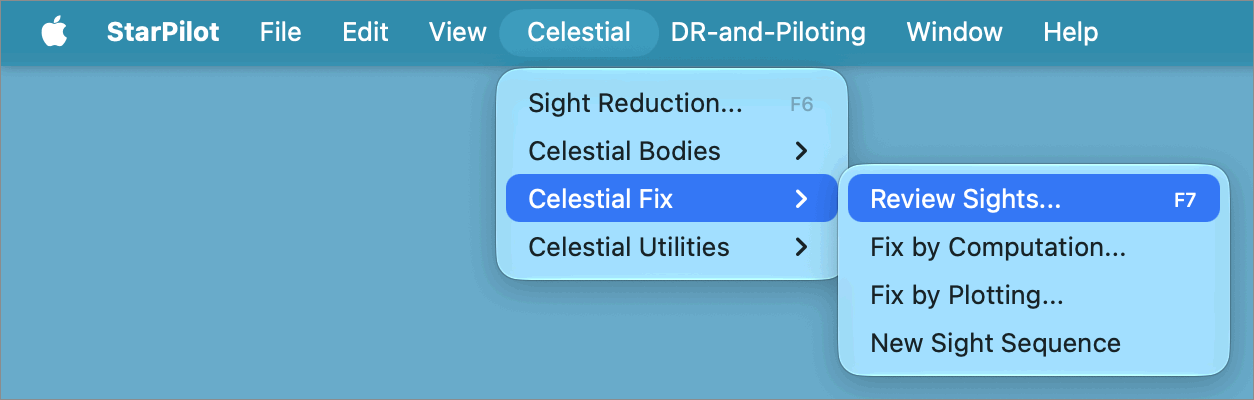
The Celestial menu: sight reduction, the bodies, the fix and the utilities.
Built the way navigators work
Type angles as ddd.mmm and times as hh.mmss, the way you read them off the sextant and the watch: 34.552 is 34°55.2′ and 15.0542 is 15h 05m 42s. Each field shows back what it understood.
StarPilot remembers your DR, date and settings, so each tool starts from where you are, and every fix can become your new DR with one button.
1 · What will I see, and when?
Planning the sights
Good fixes start before the sextant comes out of its box. StarPilot tells you when the light will be right, what will be up, and where to look for it.
Sunrise, twilight and LAN in one click
“When is twilight tonight, and when is noon?”
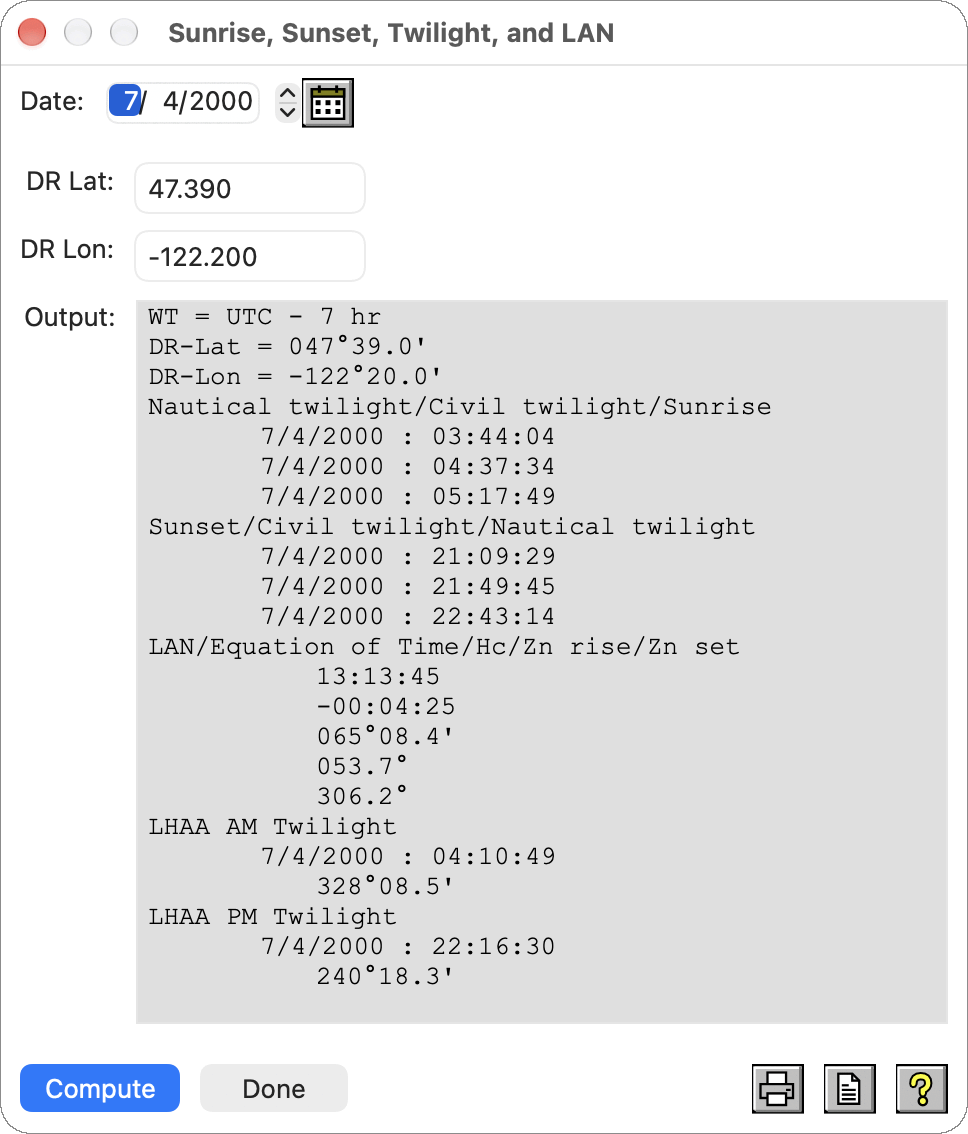
Give the date and your DR and press Compute once. StarPilot lists nautical and civil twilight, sunrise and sunset, the time of LAN and the Sun’s height then, the Sun’s bearing at rising and setting, and LHA Aries at morning and evening twilight for setting up a star finder. Times are shown in your own zone.
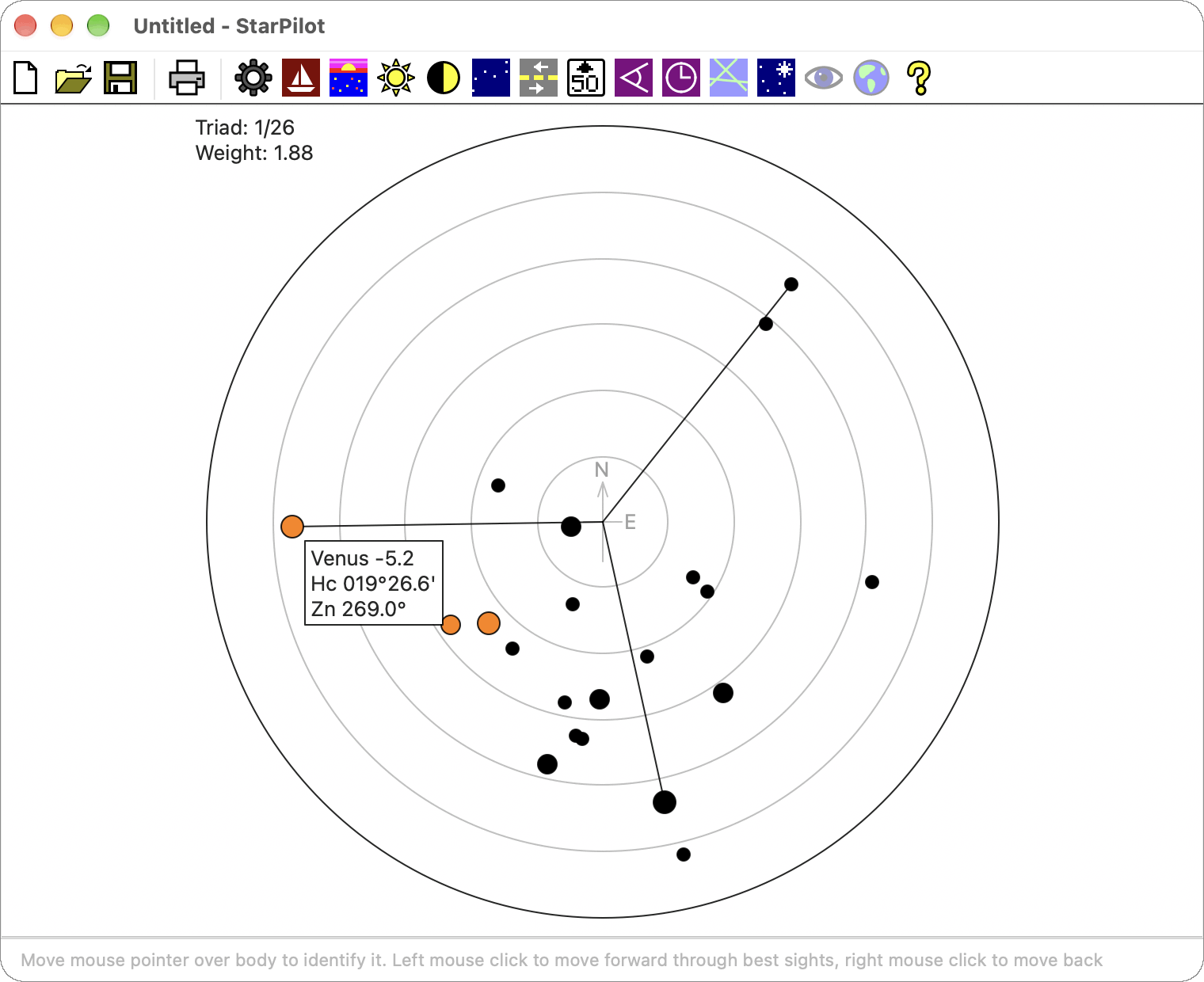
Find Sights draws the best three bodies, triad by triad. Point at a body to name it.
The Sight Planner
“Which stars should I shoot this evening?”
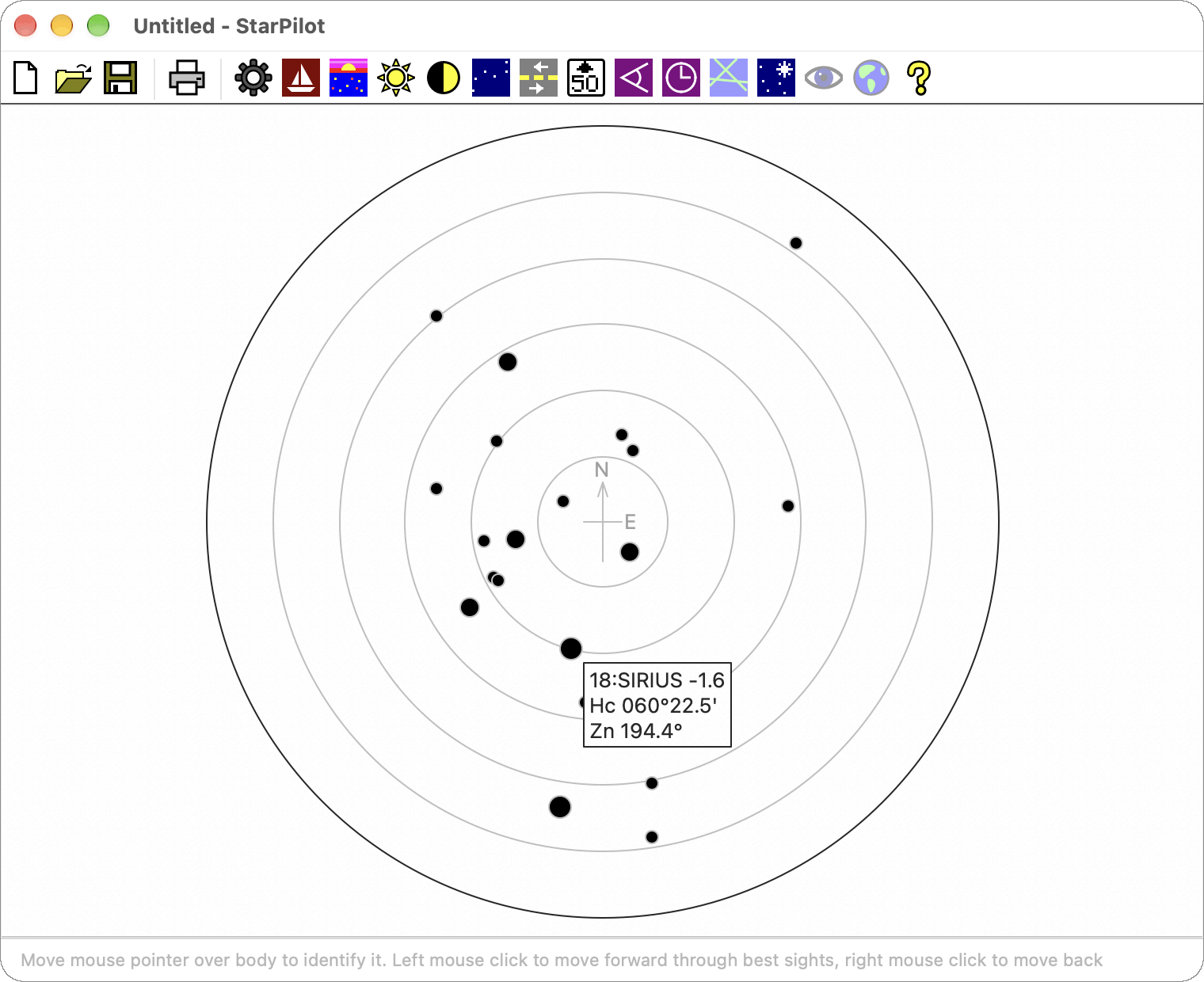
A radar-style view of the sky for any time and place: stars, planets, Sun and Moon, by height and bearing. Find Sights ranks the combinations of three bodies that give the best fix; keep the one you like and StarPilot starts from it next time. Altitude limits and a magnitude cutoff keep the list to bodies you can use.
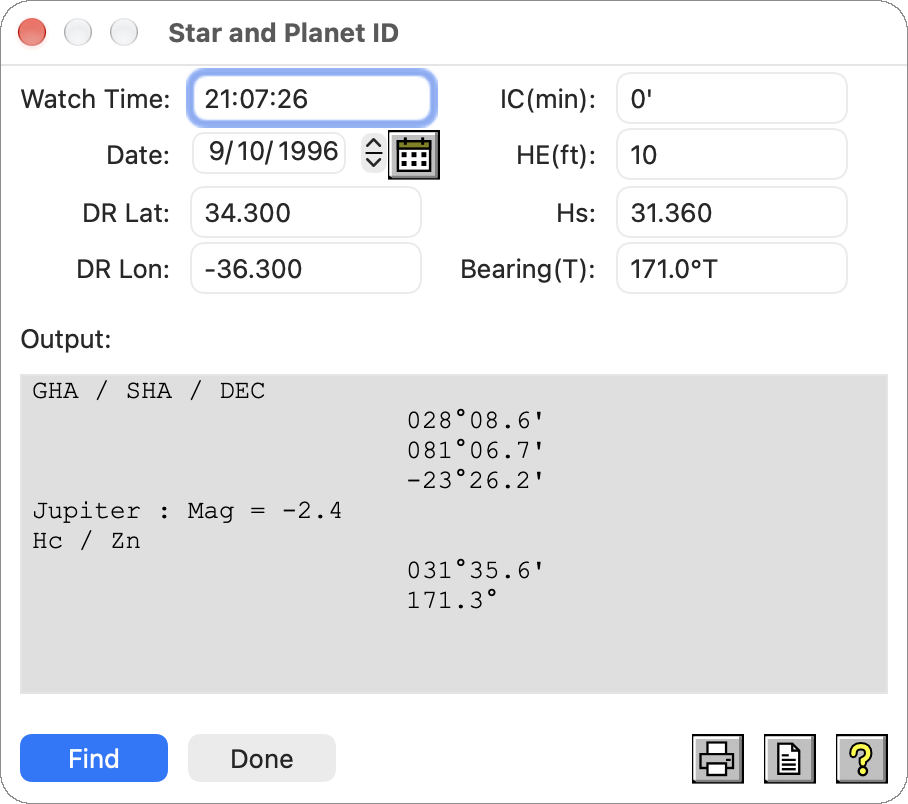
Star and planet ID
“What is that bright one low in the south?”
Note its height, its bearing and the time. StarPilot checks the Sun, Moon and planets, then the stars in order of brightness, and names every body within 5° of what you saw.
2 · Reduce the sights
Every body, and the sight to trust
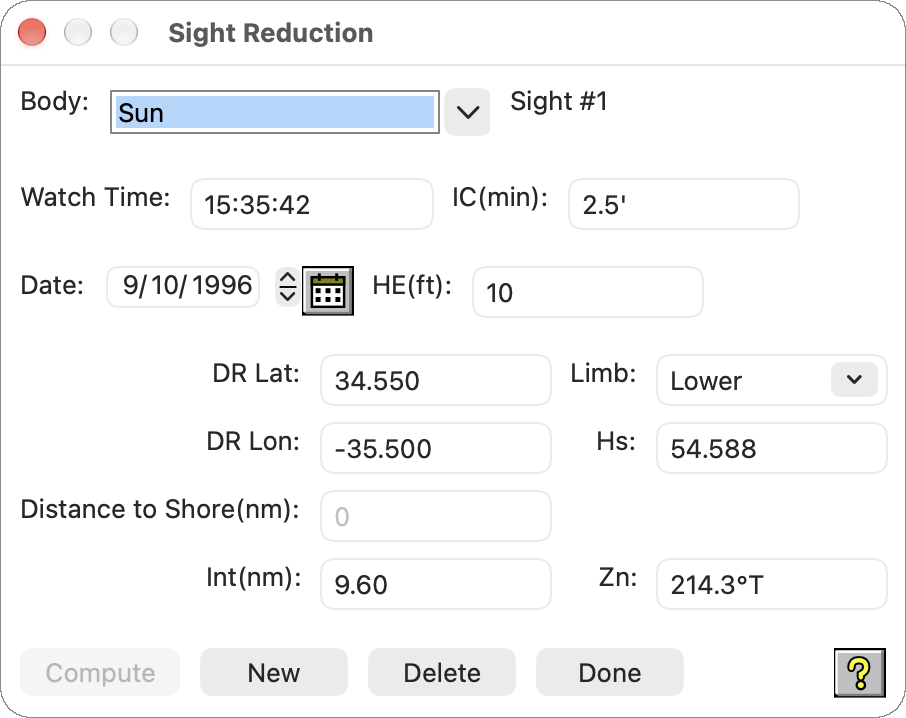
Sun, Moon, planets and stars are each reduced in one dialog, straight from the sextant reading, with no tables and no assumed position.
Sight reduction
Choose the body and enter the watch time, sextant height, index correction and height of eye. StarPilot makes the altitude corrections and gives the intercept and azimuth from your DR. Each sight is stored for the fix.
Precompute
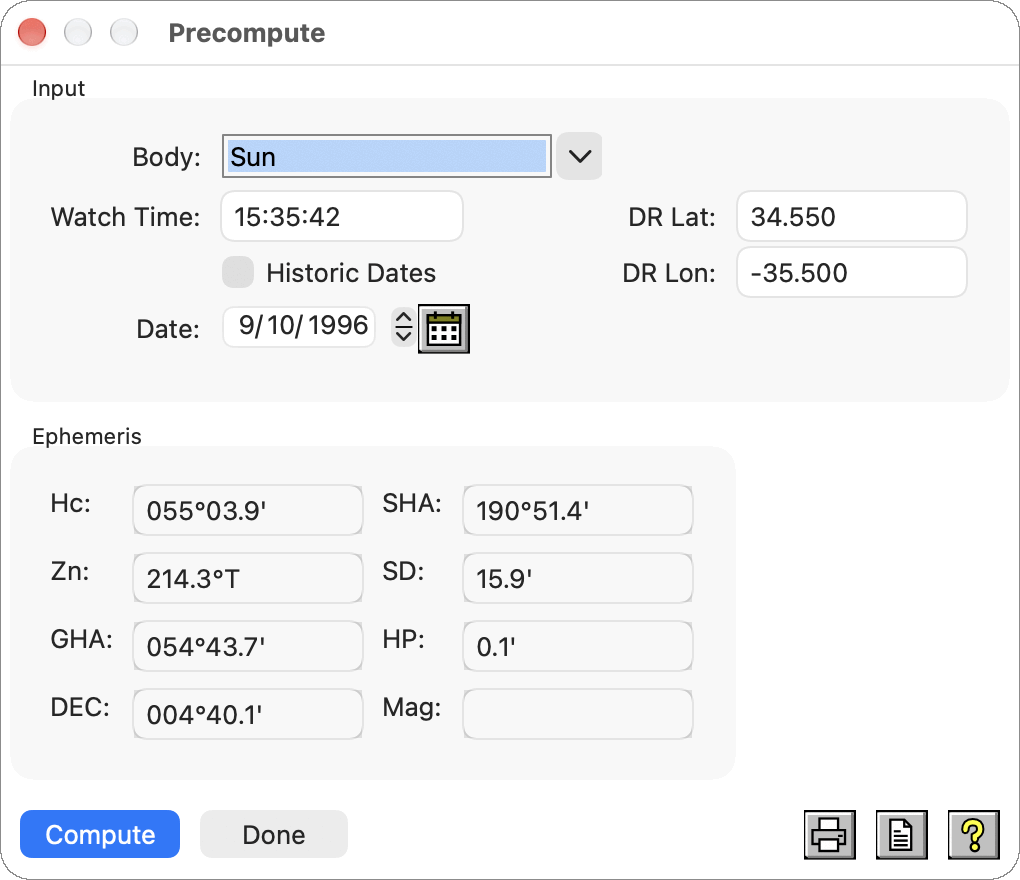
“How high will it be, and where?”
The height and bearing of any body for any time and place, with its GHA, declination, SHA, semidiameter and horizontal parallax: for planning, for checking a textbook problem, or for a true bearing to check the compass.
The Sight Analyzer
“Which of these sights is the good one?”
Take a run of sights of one body over 10 to 20 minutes. The Analyzer computes how the height should change over that time, allowing for the boat’s motion, and draws that curve through your sights. Slide it to the best fit: sights far off it are the bad ones, and any sight on the line is as good as the whole set.
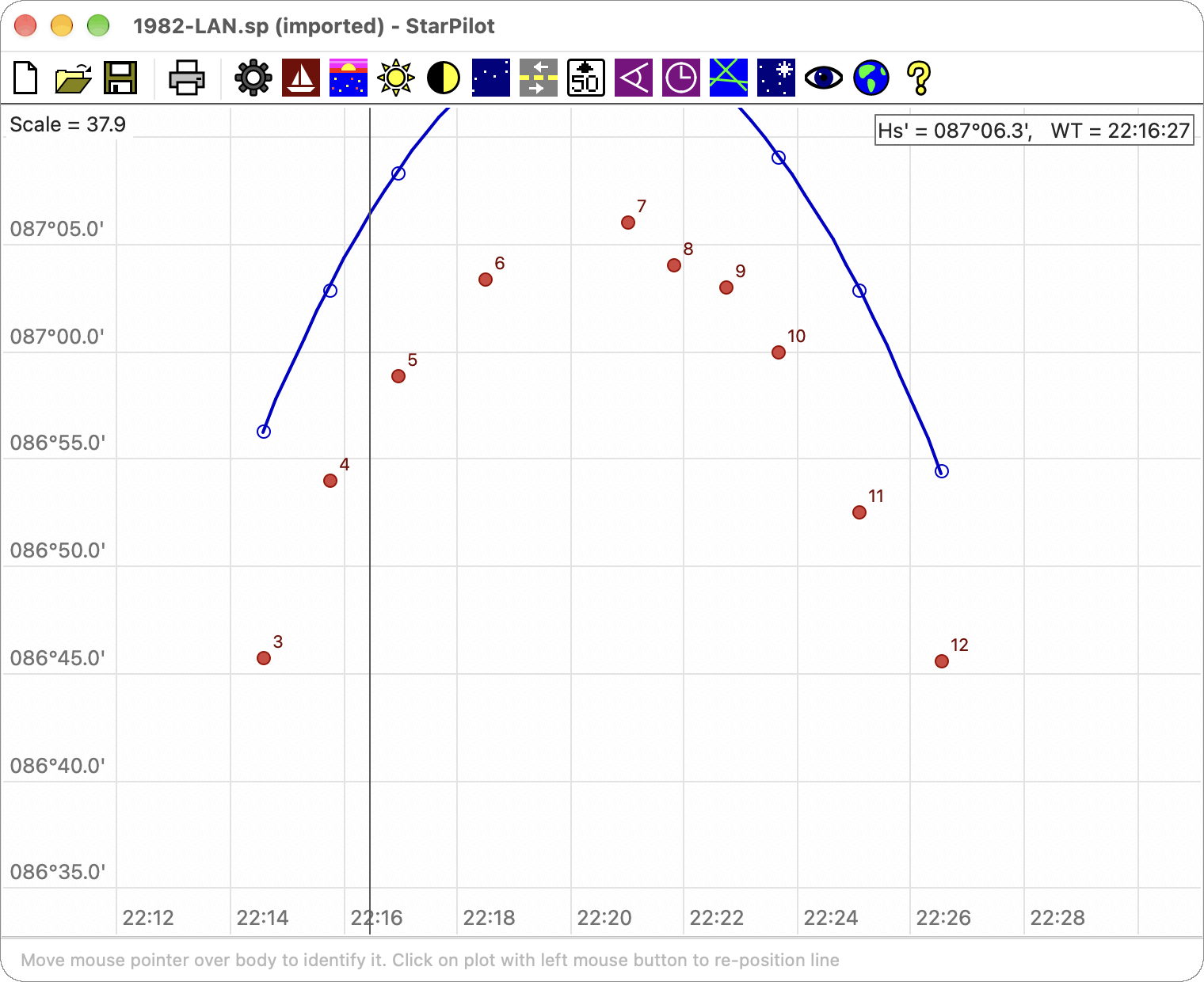
A run of high Sun sights across LAN, from the sample sights that come with StarPilot.
3 · Where am I?
From lines of position to a fix
StarPilot turns the stored sights into a fix, by computation or on a plot, and tells you how far it is from where you thought you were.
Fix by computation
Give your course and speed and the time you want the fix for. StarPilot advances every line of position to that time, so sights taken under way make a running fix, and finds the fix by least squares with the US Naval Observatory method published in the Nautical Almanac. A Sight Filter leaves out a doubtful sight so you can see what it does to the fix.
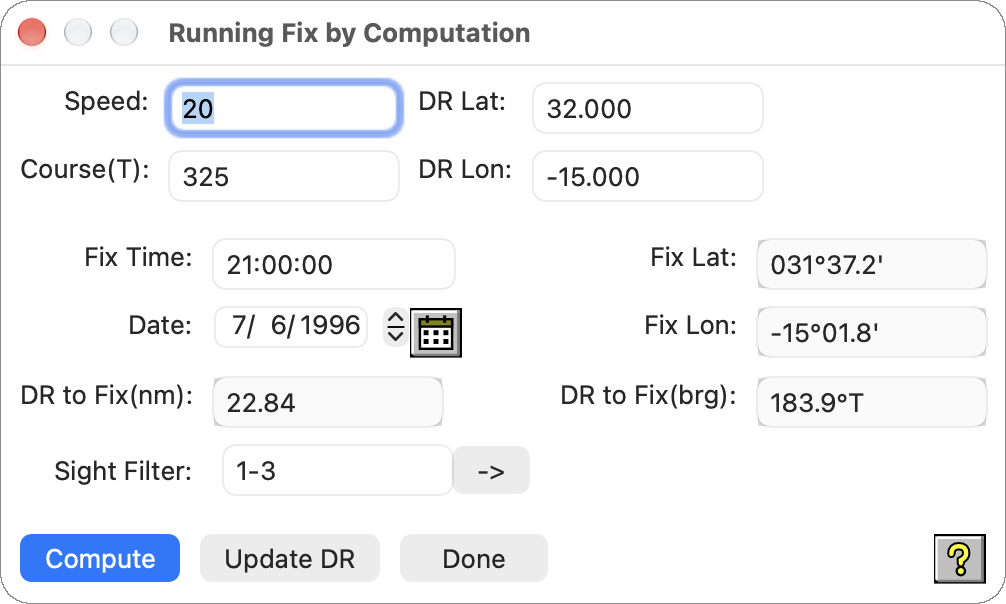
The range and bearing from DR to fix is a running check on your navigation. Update DR makes the fix your new DR.
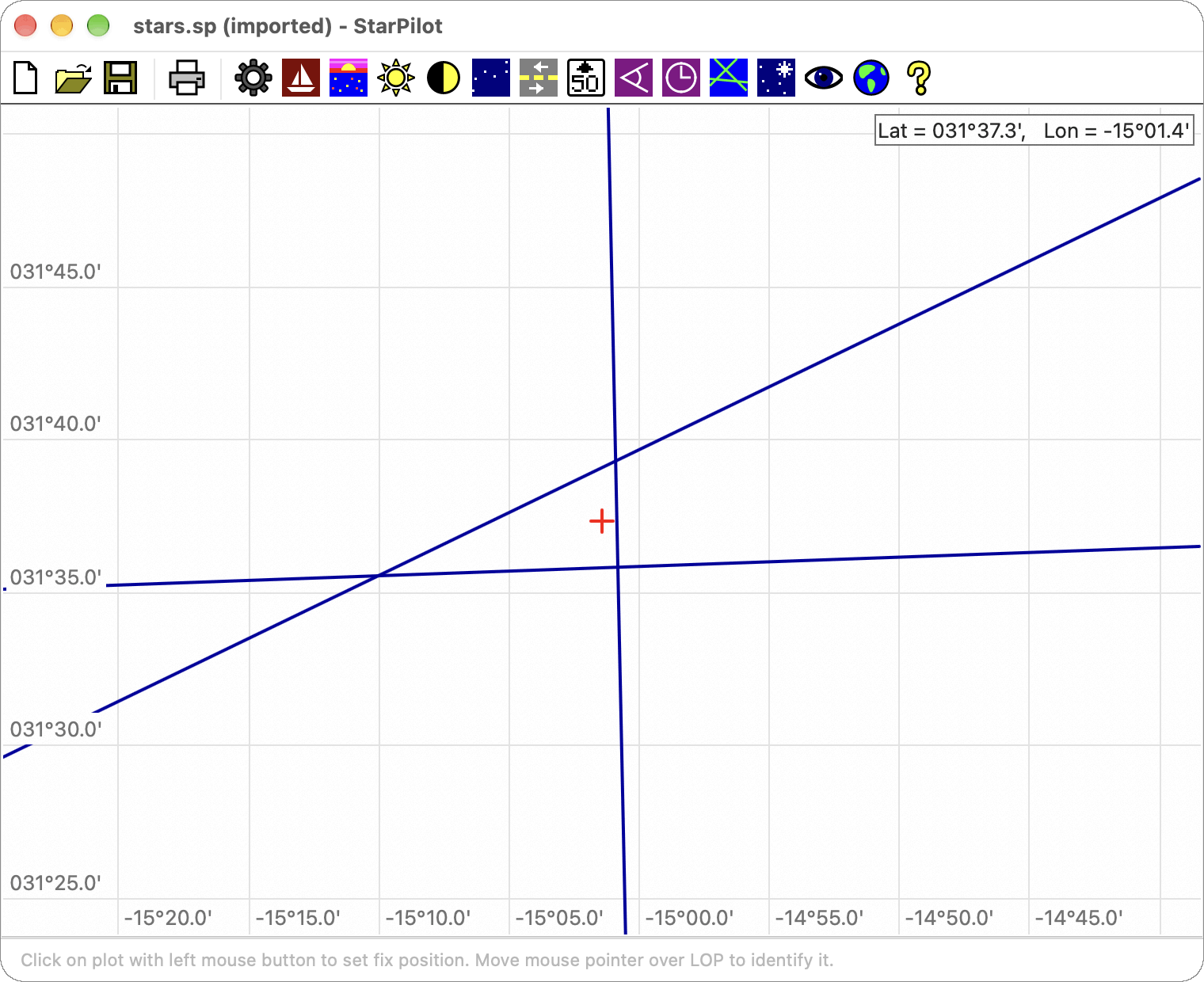
Fix by plotting
See the lines of position on screen, zoom into the cocked hat and click where you judge the fix to be. Point at any line to see which sight it came from. The cursor’s latitude and longitude are shown as you move.
Van Allen fix from two sights
“Two sights. Exactly where do they cross?”
No assumed position and no iteration: StarPilot computes where the two circles of equal altitude cross. The crossing nearer your DR is the fix, and the other is shown with its distance, so there is no doubt which is which. It gives the angle at which the lines cross, and warns you when that is under 20°.
4 · Special sights
Polaris, noon and the Moon
The classic special sights each have a tool of their own, worked from the same built-in almanac.
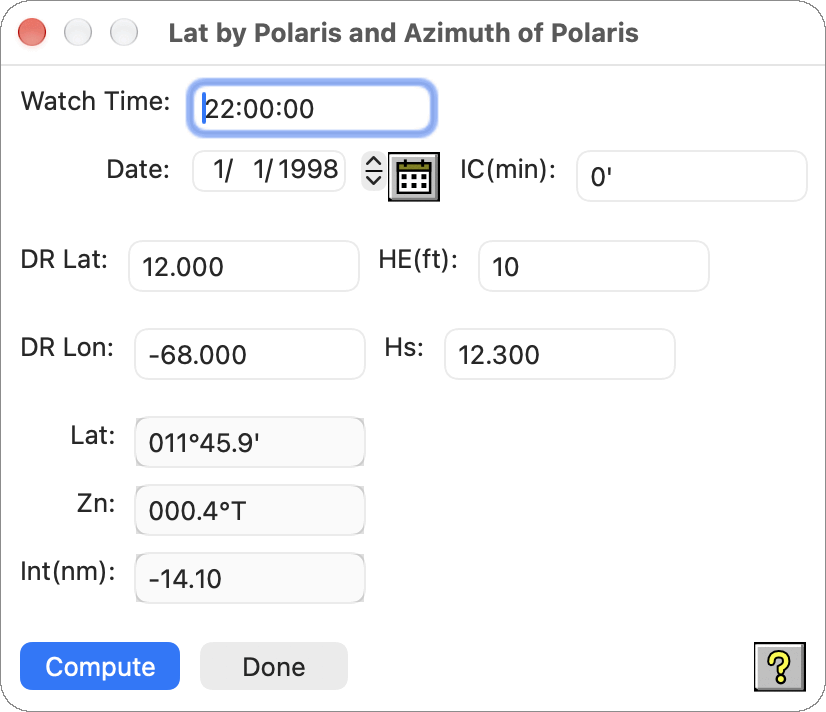
Latitude by Polaris
One sight of the pole star gives your latitude, the true azimuth of Polaris and the intercept. The azimuth is a ready-made true bearing for checking a compass or gyro.
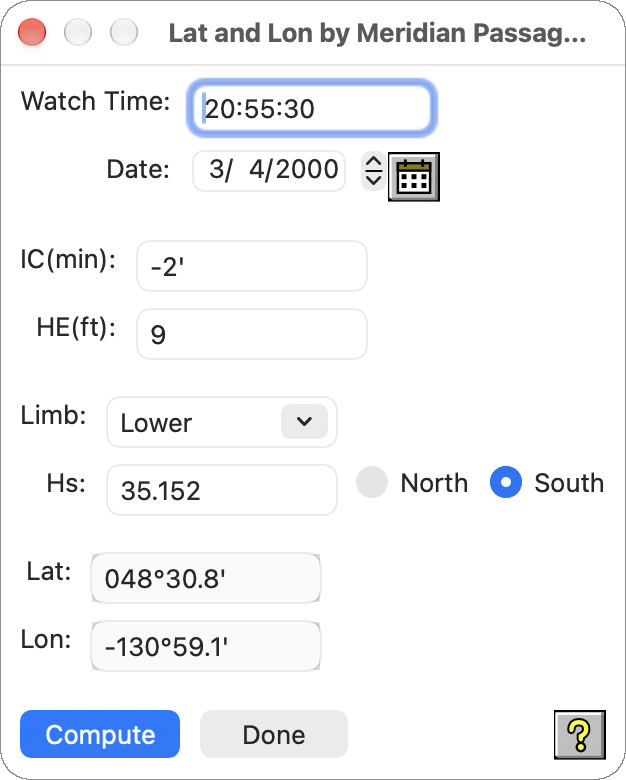
Latitude and longitude from LAN
Measure the Sun’s peak height at noon and note the time: the height gives latitude and the time gives longitude. Run the noon sights through the Sight Analyzer first for the best peak height and time.
Longitude without time: lunar distance
“The watch has stopped. What time is it?”
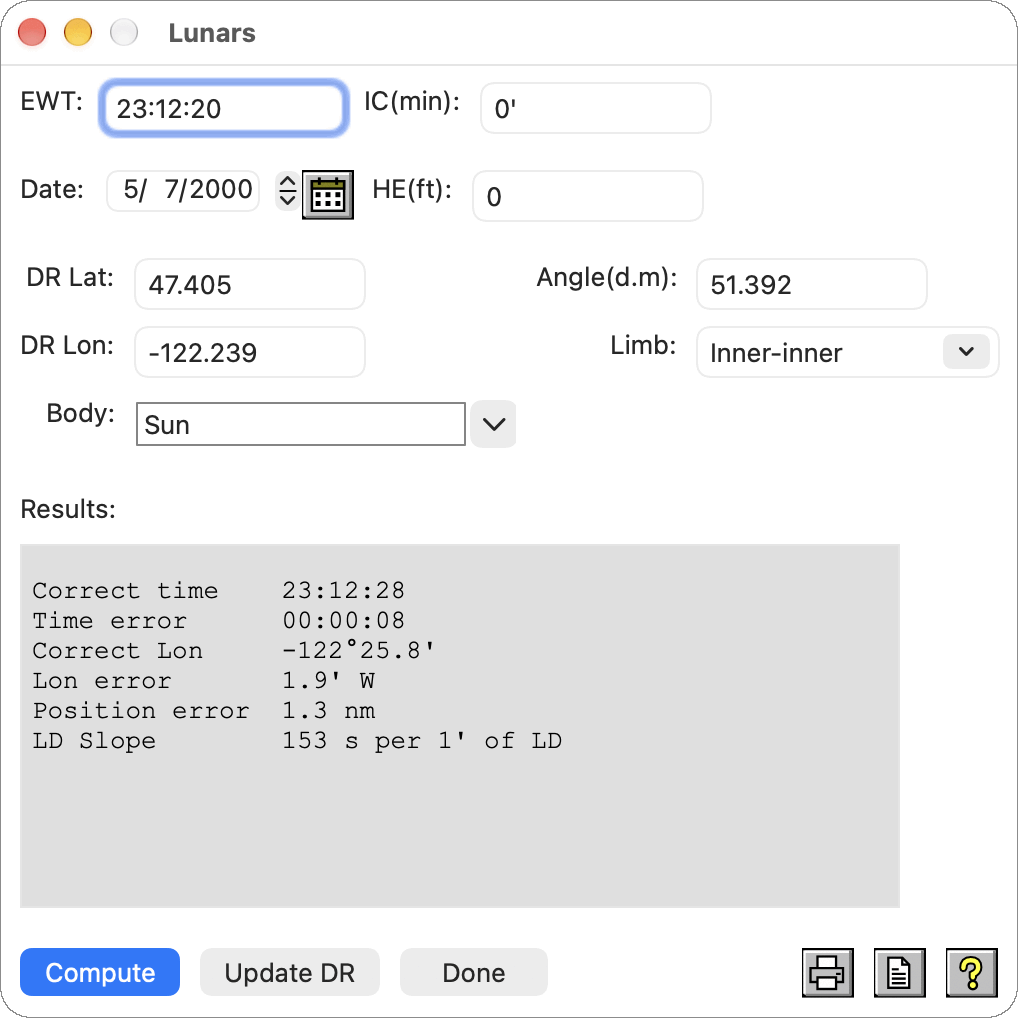
Measure the angle from the Moon to the Sun, a planet or one of the lunar stars. StarPilot finds the UTC at which that distance was true, then your watch error and your longitude, and Update DR puts the longitude into your DR. It also reports how sensitive the sight was.
5 · The DR behind every sight
A DR that keeps up with the sights
Every sight is reduced from your DR and every fix can become your DR, so StarPilot keeps the two working together.
Update DR, the way you keep the log
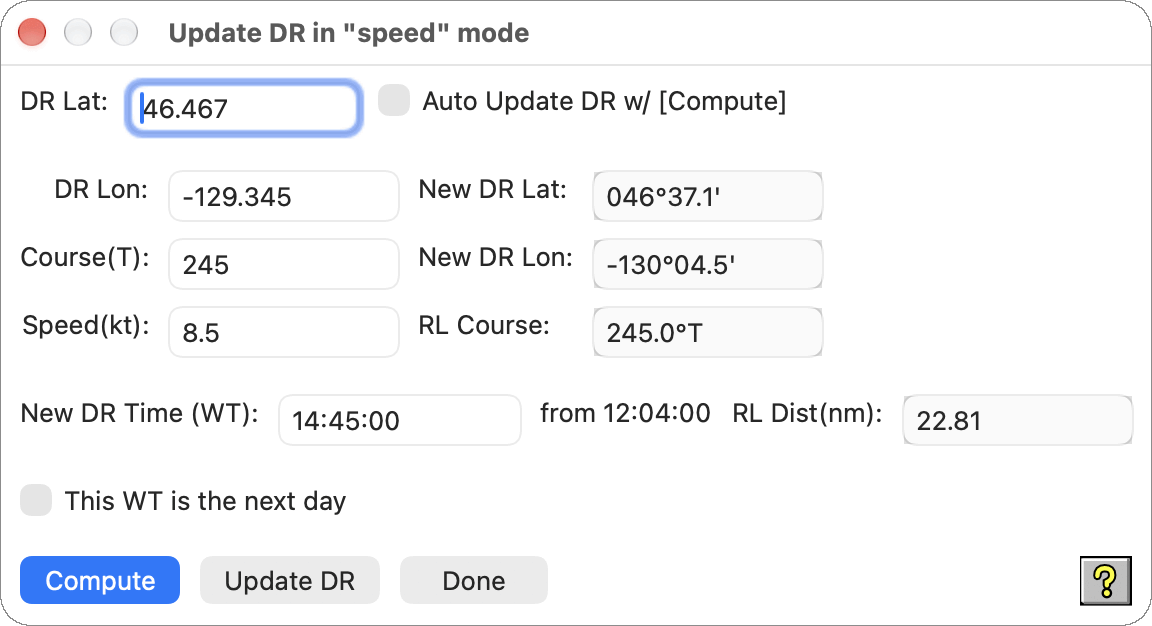
Work the DR three ways: course and distance run, the next log reading, or speed and the next time. StarPilot remembers the last position, course, speed, log and time, so you can type in a day’s log book line by line and read off the position. With Auto Update each line becomes the new DR as you go.
Sights and DR together
Sights are reduced from the DR carried along your course and speed to the time of each sight. A fix offers Update DR, which stores it with its time; the lunar stores its longitude. The range and bearing from DR to fix shows how well the DR was kept.
Check your compass by the sky
Compass Calibration predicts where the Sun’s shadow should fall on the compass, in magnetic. Polaris and Precompute give a true bearing for any body. The difference from what you see is the deviation on that heading.
Angles and times as you read them
| You type | StarPilot reads | Notes |
|---|---|---|
| 34.552 | 34°55.2′ | Angles are degrees and decimal minutes, ddd.mmm |
| -35.5 | 35°50.0′ West | South and West are entered with a minus sign |
| 15.0542 or 15:05:42 | 15h 05m 42s | Times are hh.mmss, or with colons |
| 32.5 | 32°50.0′, not 32°30′ | The digits after the point are minutes; each field shows back what it read |
Practice sights come with it
Help › Install Sample Sights copies StarPilot’s sample sight files and the Hawaii by Sextant problem set to your computer, so you can work real sights, and check your answers, before you go to sea.
And when land is in sight
A complete piloting calculator, too
The same program carries a full toolkit for inland and coastal navigation: bearing and running fixes, distance off, currents and tides, route and passage planning, and dead reckoning. See its companion page, StarPilot for inland and coastal navigation.
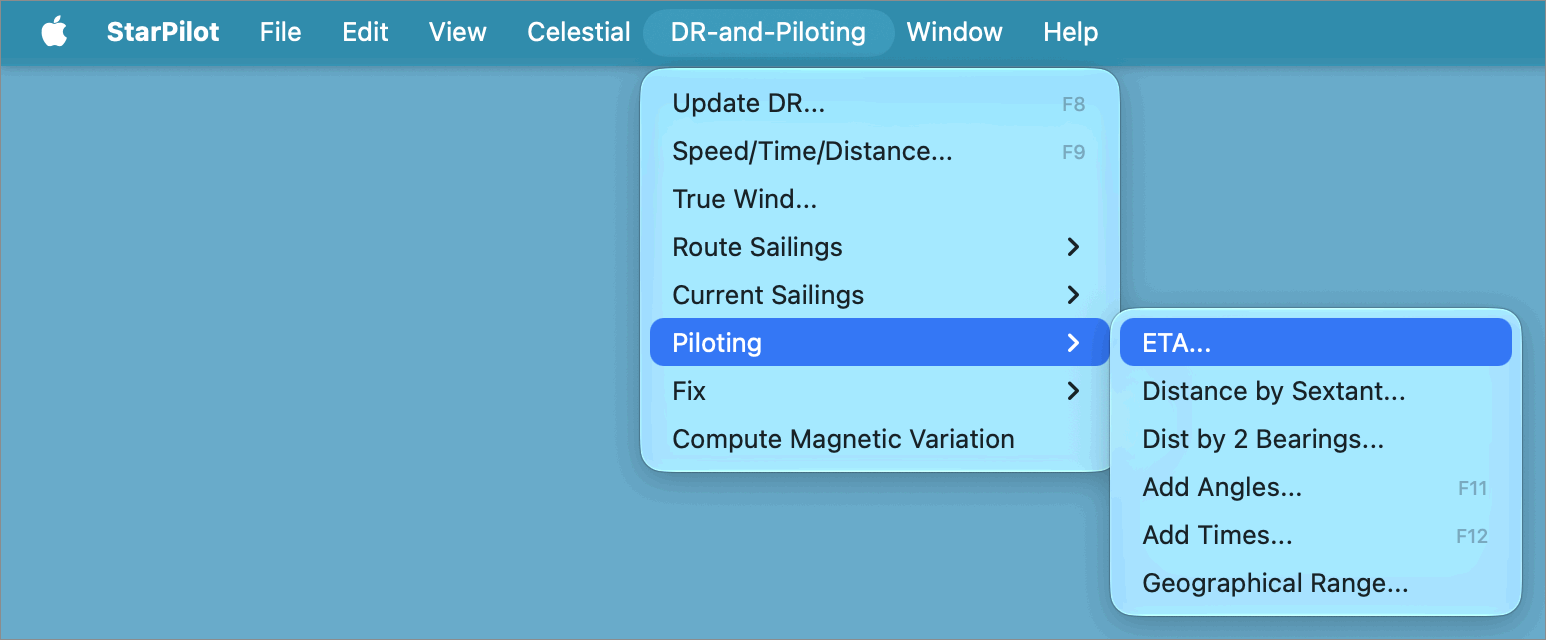
The DR-and-Piloting menu, beside the Celestial menu.
Why navigators trust it
StarPilot comes from Starpath, a navigation school. Its almanac has been checked against a modern reference ephemeris from 1900 to 2049: the Sun and Moon agree to a few hundredths of a minute of arc, finer than the printed Nautical Almanac’s own rounding.
Every answer shows its inputs beside it, so you can check the work.
The desktop editions need no internet connection once registered: the almanac and every tool in this brochure live on your computer.